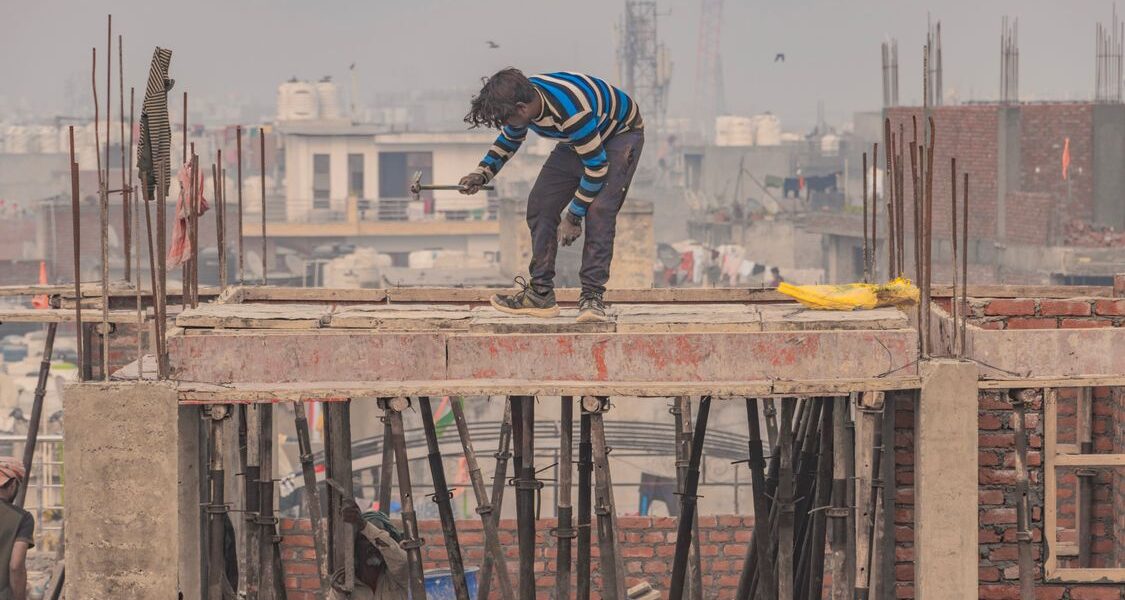
The E-Shram Card is a government-issued identity card for India’s unorganised sector workers — construction workers, domestic help, street vendors, agricultural labourers, rickshaw pullers, and millions of daily-wage earners. Registered workers get a Universal Account Number (UAN), accident insurance cover of ₹2 lakh, and priority access to social security schemes. Registration is free and takes under 10 minutes. Here’s everything you need to know.
What is the E-Shram Card?
E-Shram is a national database of unorganised workers, built by the Ministry of Labour and Employment. The E-Shram card (also called NDUW card) gives workers:
- A unique 12-digit Universal Account Number (UAN) that stays with you for life
- ₹2 lakh accidental death / permanent disability insurance under PMSBY (free for the first year)
- ₹1 lakh partial disability insurance
- Direct access to government welfare schemes — PM-JAY health card, PM Awas Yojana housing, PM Kisan support, ONORC ration portability
- Priority during natural disasters, pandemics, or economic distress
Who is Eligible to Register?
You can register for E-Shram if:
- You are between 16 and 59 years of age
- You are an unorganised sector worker (not a government employee, not a member of EPFO/ESIC)
- You have an Aadhaar card linked to a mobile number
Workers Who Can Register
- Construction workers (masons, labourers, painters, plumbers, electricians)
- Agricultural workers (farm labourers, fishermen, animal husbandry workers)
- Domestic workers (maids, cooks, drivers)
- Street vendors, hawkers, auto-rickshaw drivers, delivery workers
- Beedi workers, brick kiln workers, leather workers, weavers
- Migrant workers, home-based workers, platform gig workers
- Rag pickers, sanitation workers (not on government payroll)
How to Register for E-Shram Card Online
Step 1: Visit the E-Shram Portal
Go to eshram.gov.in and click “Register on E-Shram” on the homepage.
Step 2: Enter Aadhaar Linked Mobile Number
- Enter the mobile number linked to your Aadhaar card
- Enter the CAPTCHA and click “Send OTP”
- Enter the OTP received on your mobile number
Step 3: Aadhaar Verification
- Enter your 12-digit Aadhaar number
- Click “Send OTP” — an OTP will be sent to your Aadhaar-linked mobile
- Enter the OTP to verify your identity
- Your name, date of birth, gender, and address will be auto-filled from Aadhaar
Step 4: Fill Personal and Occupational Details
- Verify your personal details (name, DOB, gender, address)
- Select your occupation category (construction / agriculture / domestic help, etc.)
- Enter your monthly income (approximate)
- Enter your educational qualification
- Add family member details if applicable
Step 5: Enter Bank Account Details
Enter your bank account number and IFSC code for receiving any future direct benefit transfers. This is mandatory for activation of PMSBY insurance.
Step 6: Preview and Submit
- Review all entered details carefully
- Click “Submit” to complete registration
- Your 12-digit Universal Account Number (UAN) is generated instantly
- Download or save the E-Shram card as PDF
How to Register at a CSC (Offline / Assisted)
If you don’t have internet access, visit your nearest Common Service Centre (CSC) or Jan Seva Kendra:
- Carry your Aadhaar card, mobile number, and bank passbook
- The CSC operator will complete the registration for you
- Registration is free — do not pay any fee
- You’ll receive your E-Shram card on the spot or via SMS
Documents Required
| Document | Requirement |
|---|---|
| Aadhaar Card | Mandatory — must be linked to a mobile number |
| Mobile Number | Must be linked to Aadhaar for OTP |
| Bank Account | Account number + IFSC for DBT benefits |
| IFSC Code | Available on cheque book or bank passbook |
How to Download Your E-Shram Card
- Visit eshram.gov.in and click “Already Registered”
- Enter your UAN or registered mobile number
- Verify with OTP
- Click “Download E-Shram Card” — save as PDF
The E-Shram card can be used as a valid identity document for applying to other government schemes.
Benefits Linked to E-Shram Card
PMSBY Accident Insurance (Free)
All registered E-Shram workers aged 18–59 get free accident insurance under PM Suraksha Bima Yojana (PMSBY) for the first year:
- ₹2 lakh for accidental death or permanent total disability
- ₹1 lakh for permanent partial disability
Access to Other Schemes
- PM-JAY Ayushman Bharat — ₹5 lakh health insurance (if eligible)
- PM Awas Yojana — housing assistance priority
- One Nation One Ration Card (ONORC) — ration portability across states
- PM Shram Yogi Maandhan — pension scheme for unorganised workers
- BOCW Welfare Schemes — construction worker welfare (state level)
E-Shram Helpline and Support
- Toll-Free Helpline: 14434
- Official Portal: eshram.gov.in
- Email: eshram-care@gov.in
- CSC Locator: locator.csccloud.in
Frequently Asked Questions
Q: Can I update my details after registration?
Yes. Log in to eshram.gov.in and click “Update E-Shram Profile” to change your address, occupation, bank account, or family member details.
Q: Is the E-Shram card valid as address proof?
Yes. The E-Shram card with UAN is accepted as identity proof. For address proof, your Aadhaar address continues to be the primary document.
Q: What if my Aadhaar is not linked to my mobile number?
Visit your nearest Aadhaar Seva Kendra to link your mobile number to Aadhaar. This is mandatory for online E-Shram registration. Alternatively, use CSC-assisted registration via biometric verification.
Q: I already have an E-Shram card — can my family members also register?
Yes. Each eligible working family member can register separately and get their own UAN and insurance cover.
Q: Will E-Shram data be used to target welfare schemes during emergencies?
Yes. The government used E-Shram data to distribute cash assistance to unorganised workers during COVID-19. Being registered ensures you are included in future relief efforts.
Last updated: July 2025 | Source: Ministry of Labour and Employment — eshram.gov.in